Budgets and hard caps
A lower bill with a ceiling under it: budgets and hard caps on every key
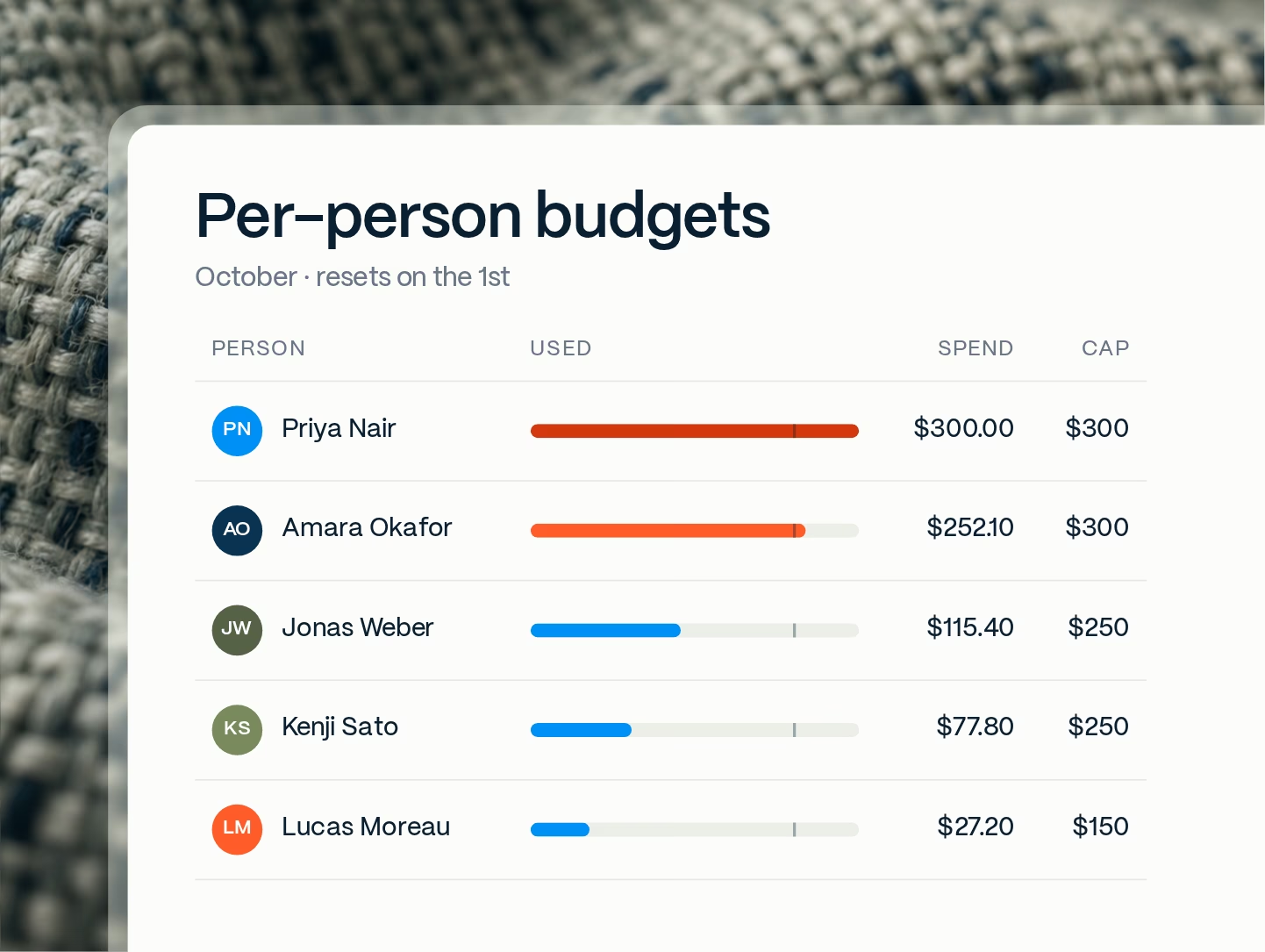
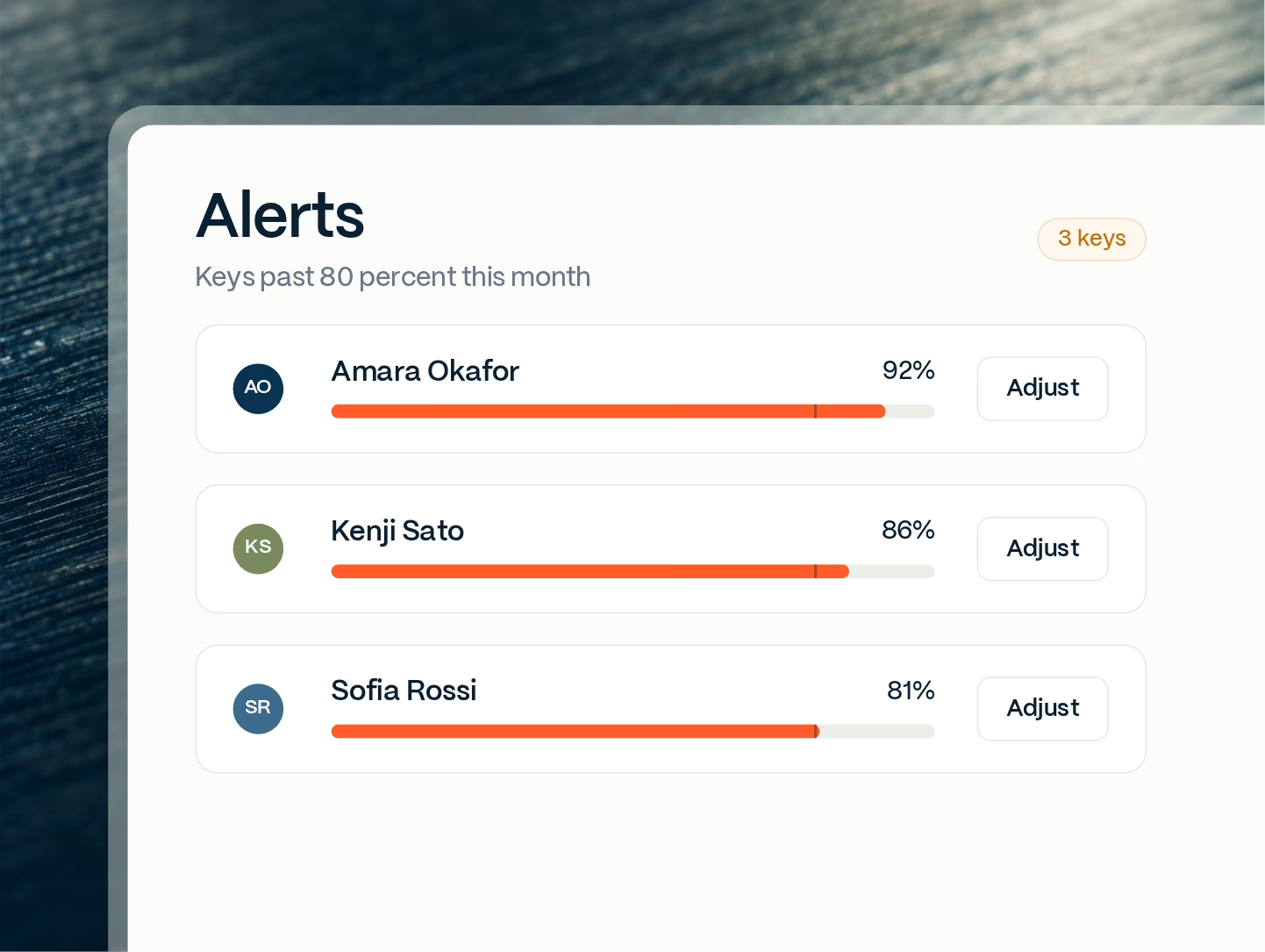
The proxy cuts the cost of each request. Budgets make sure no month can still surprise you. Every person, team and agent gets a key with a monthly budget, checked before each request goes out. At 80 percent the owner and the admin get a warning. At 100 percent the key stops with a clear message, and everyone else keeps working. Nothing is billed past the cap.
Works with any harness your team already uses















Caps that match how your company actually spends on AI
 Illustrative example
 Illustrative example
 Illustrative example
 Illustrative example
why proxen
Savings first, then a ceiling
A cap on its own only stops spending. It does not make anything cheaper. So we cut the cost of each request first, then set budgets on what is left. Each person, team and agent gets its share, metered underneath so nobody can quietly burn it.
Fixed budgets for metered AI
Set a fixed monthly allowance per person, the way a seat license would. Underneath, Proxen meters every token at the provider's real price. The person gets a simple number to live within. Finance gets a bill that cannot exceed the sum of the caps, which is what makes AI spend forecastable.
One person or agent cannot spend the month's budget
On metered AI one long agent session can run unwatched until the invoice. With a cap per key, the heavy user or the looping agent hits its own limit and nobody else notices. The admin can top it up from a quiet key or wait for the month to reset. Either way the rest of the company keeps working.
A leaked key has a ceiling
One leaked Gemini API key ran up $82,314 in 48 hours against a normal bill of about $180 a month (The Register, Mar 2026). A Proxen key stops at its budget; the next request is refused before it reaches the provider, and revoking it is one click. The provider key it fronts never leaves the server.
Cost cutting a flat cap cannot give you
Budgets stop overspend. The proxy brings the baseline down without cutting usage: fewer tokens per request, easy work on cheaper models, repeated context cached instead of paid for twice, and work that can wait sent as batch at the half price Anthropic and OpenAI publish. For the right workload that is up to 70-80% lower cost, with the same quality.
Charged on one leaked API key in 48 hours (The Register, Mar 2026)
Expected rise in monthly AI spend, 2024 to 2025 (CloudZero)
Companies that can confidently measure AI ROI (CloudZero, 2025)

What a cap looks like
Day three, one agent at 100 percent, nobody else affected
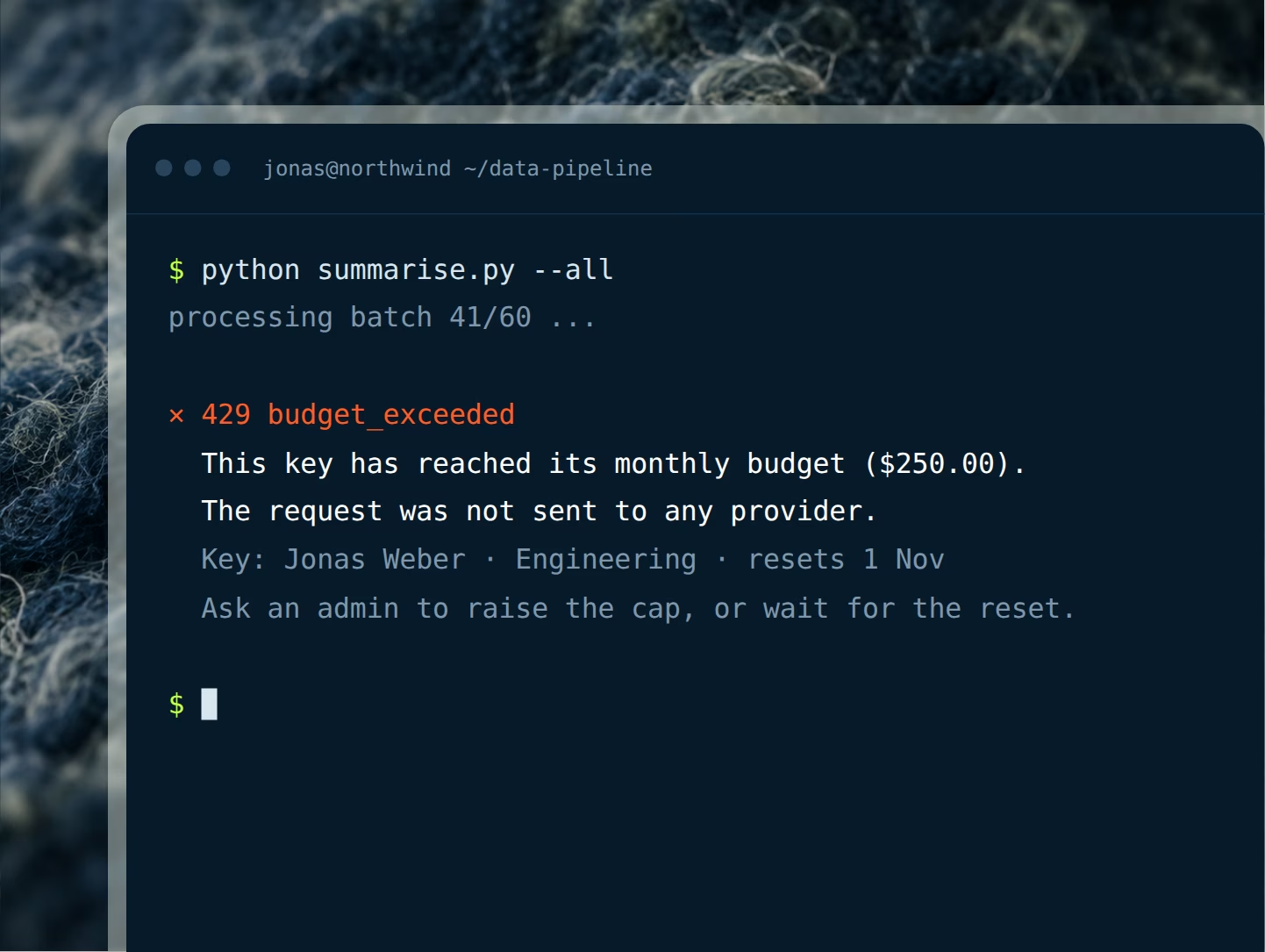
Picture an engineer running a long coding-agent session that reaches its monthly budget early in the month. Here is exactly what happens, in order, and what finance, security and the engineer each see.

What happens, step by step
- At 80 percent the key owner and the admin get a warning
- At 100 percent the next request is refused with a clear message
- Nothing past the cap is sent to a provider or billed
- Everyone else's keys keep working as normal
- The admin raises the cap, moves budget, or waits for the reset


Cut the bill, then put a ceiling under it



Start with your bill, then set the budgets
Send us one month of usage. We show you where the money leaks and what you can expect to save, then set budgets per person, team and agent on what is left.

Frequently asked questions
What exactly happens when someone hits their cap?
Proxen checks the budget before it forwards a request. Once a key is at 100 percent of its monthly budget, the next request is refused and the tool or agent receives a short error that says the monthly limit for this key has been reached. The request never reaches a provider, so it is never billed. The person sees the message in their tool, the admin sees the refusal in the log, and every other key in the company is unaffected.
How do you set an AI budget per employee without freezing everyone?
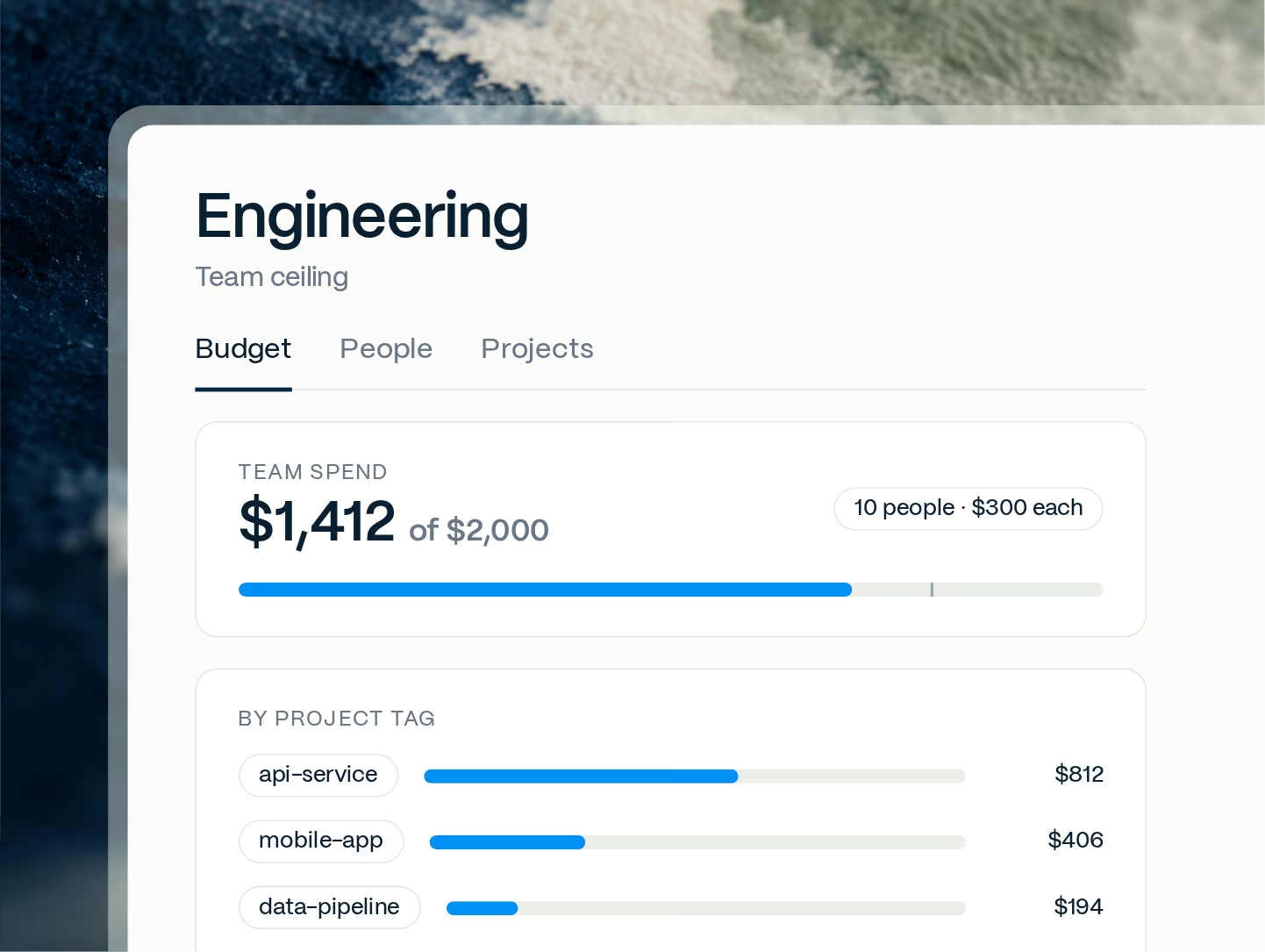
Each key carries its own number, so a heavy user and a light user can have different caps instead of one flat limit for the company. Budgets are changed in the console and take effect on the next request. The admin can raise one person's cap, or move unused budget from a quiet key to a busy one, without touching anyone else. If a team ceiling is in place, it still applies, so the total cannot creep up by accident.
How is spend counted? Is it an estimate?
It is counted per request from the token counts the provider returns, priced at that provider's published rate for the model used. Input tokens, output tokens and cached tokens are counted separately, because providers price them differently. The console groups it by person, team and project instead of in one lump. Reconcile it with your provider invoices, which can differ for credits, taxes and rounding.
Can you set a budget for AI agents, not just people?
Yes. An agent or service gets a key exactly like a person, with its own model list, monthly budget and hard cap. An agent that loops or retries all night hits its own ceiling and stops; it cannot spend another team's budget. The budget is in dollars and covers every request on any model the key may use, so one agent has one number, one line in the log, one place to look.
Why a hard stop rather than just a warning?
Because a warning does not change a bill. Runaway scripts, agent loops and leaked keys do not read emails. A hard cap is the only AI spend control that puts an upper bound on what a key can cost, whatever happens to it. The 80 percent alert gives a person time to ask for more. At 100 percent the key stops at its budget; the next request is refused before it reaches the provider.
Can budgets differ by department, project or cost center?
Yes. Each key has its own budget, and keys are grouped into teams that can carry a ceiling of their own. Engineering can run higher caps than support. A key can also be tagged with a project or cost center, so the same spend is visible per product, per client or per business unit. Finance uses those tags to charge AI usage back from the log, with the person, agent and model behind every line.
Does the cap reset automatically, and can we see past months?
Monthly budgets reset on the first of the month. The log keeps previous months for as long as your retention setting keeps them, so you can compare a person's or a team's spend over time, spot a month that jumped, and see which model or which project caused it. Prompt and response text is not part of that log unless you switch it on. What is kept is who, which model, how many tokens, what it cost and when.